Free mind map and diagram maker
Plan an idea, a process or a team on one page — boxes, arrows and notes you can move around freely.
- Free
- No sign-up
- No watermark
- Bangla ready
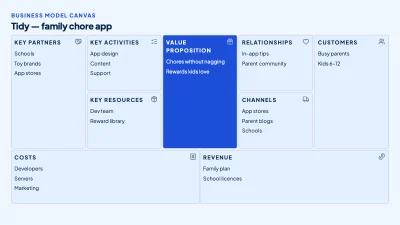
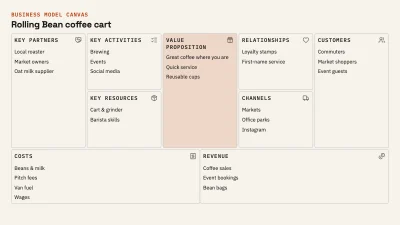
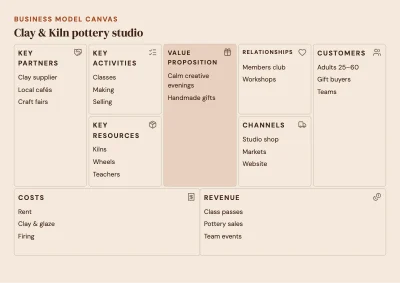
A mind map puts one topic in the middle and branches ideas out around it; a flowchart shows steps in order; an org chart shows who works with whom. All of them are boxes, lines and short labels, and the editor has the pieces ready: shapes, elbow and curved arrows, sticky notes and tables.
Use the slide size for screens and the A4 landscape size for printing. Export a PNG for chats, a PDF for printing or an SVG that stays sharp at any size.
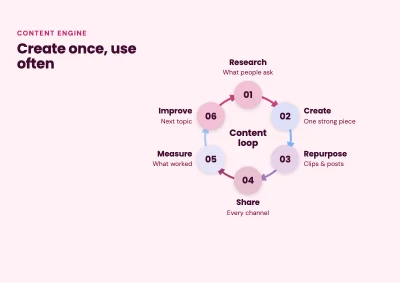
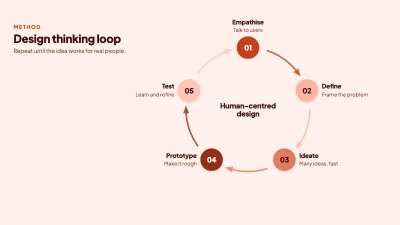
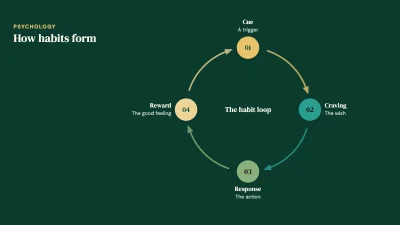
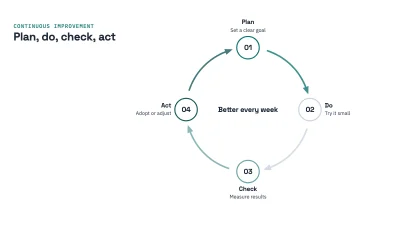
How to make it
- Start a blank diagram or pick a mind map, flowchart, timeline or org chart template.
- Add shapes and sticky notes for each idea, then join them with arrows from the Tools panel.
- Colour-code the branches, then download as PNG, PDF or SVG.
Tips that make a difference
- Keep labels to a few words; put details in a note under the box.
- Give each branch of a mind map its own colour so it can be followed at a glance.
- Line boxes up in rows and columns — tidy diagrams are easier to read.
- Use the page grid for flowcharts so steps keep the same spacing.
Frequently asked questions
Can I make a flowchart too?
Yes. Use shapes for steps and decisions and elbow arrows to connect them. Templates for flowcharts, timelines, SWOT grids and org charts are in the gallery.
Which formats can I download?
PNG, JPG, WebP, SVG and PDF, including a print PDF.
Can several people edit at once?
Not in real time. You can send a share link that opens a copy of the diagram in another browser.
Is it free?
Yes, completely: no account, no watermark and no limits on boxes or pages.
Ready? The editor opens at the right size.
Make your mind map nowOther things you can make
Facebook post
Design a post for your page, group or shop in a few minutes, at the size Facebook actually shows.
Instagram post
Square and 4:5 portrait posts, carousel slides with a consistent look, ready to upload from your phone.
Story
One size works for Instagram stories, Facebook stories and WhatsApp status: 1080 × 1920.